🔴 Orlin is fully operational — firmware, dialing, and network features all work. The visual side of the build (finishing touches, reference photos) is still being polished, so this tutorial will keep improving.
Need help or have questions?
Join our community of builders on Discord to share your progress, ask for troubleshooting, or just chat about the project!
💬 Join the OpenGate DiscordWhat is Orlin?
Orlin is a smaller, home-built gate designed to be as simple to build as possible. A single filament color is enough to print the whole thing — no multi-material swaps needed.
Same core electronics as every other model — see the Orlin BOM for the full parts list.

3D Printed Parts
Some transparent parts are optional: the inner ring covering the event horizon, the toaster-grille-style covers in front of the chevrons... You can leave them out and still have a fully working gate.
Stripped down to the essentials, Orlin can be built with just 2 print jobs, about 1 hour of printing total.
Hardware — A Single LED Strip
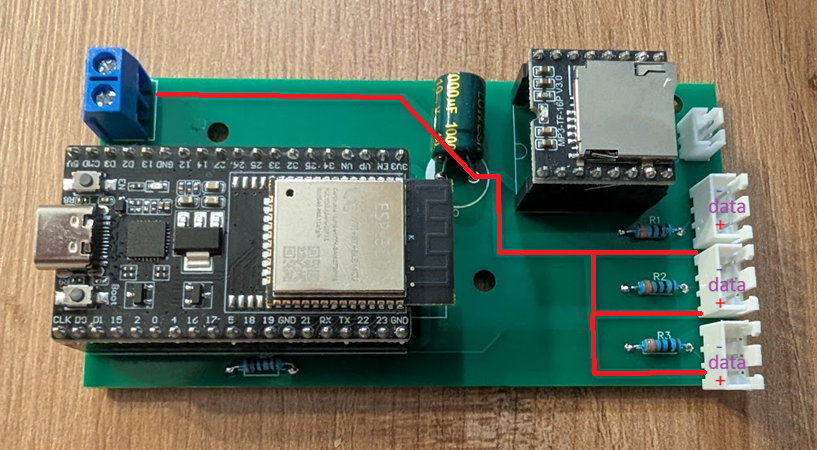
Unlike the other gates, Orlin runs off a single NeoPixel strip that loops twice around the core ring: one loop for the chevron ring, one loop for the event horizon. One data pin, one 5V injection point — no glyph strip at all.
The firmware then defines, purely in software, which LEDs on that one strip belong to the chevron ring and which belong to the event horizon — no extra wiring required. Same PCB and Gerber files as every other gate.
7 Physical Chevrons, Full Addressing
Orlin only has 7 physical chevrons — but that doesn't limit its reach: it can dial 8 or 9-symbol addresses exactly like any other gate. The extra symbols are simply composed without a dedicated chevron LED for each one.
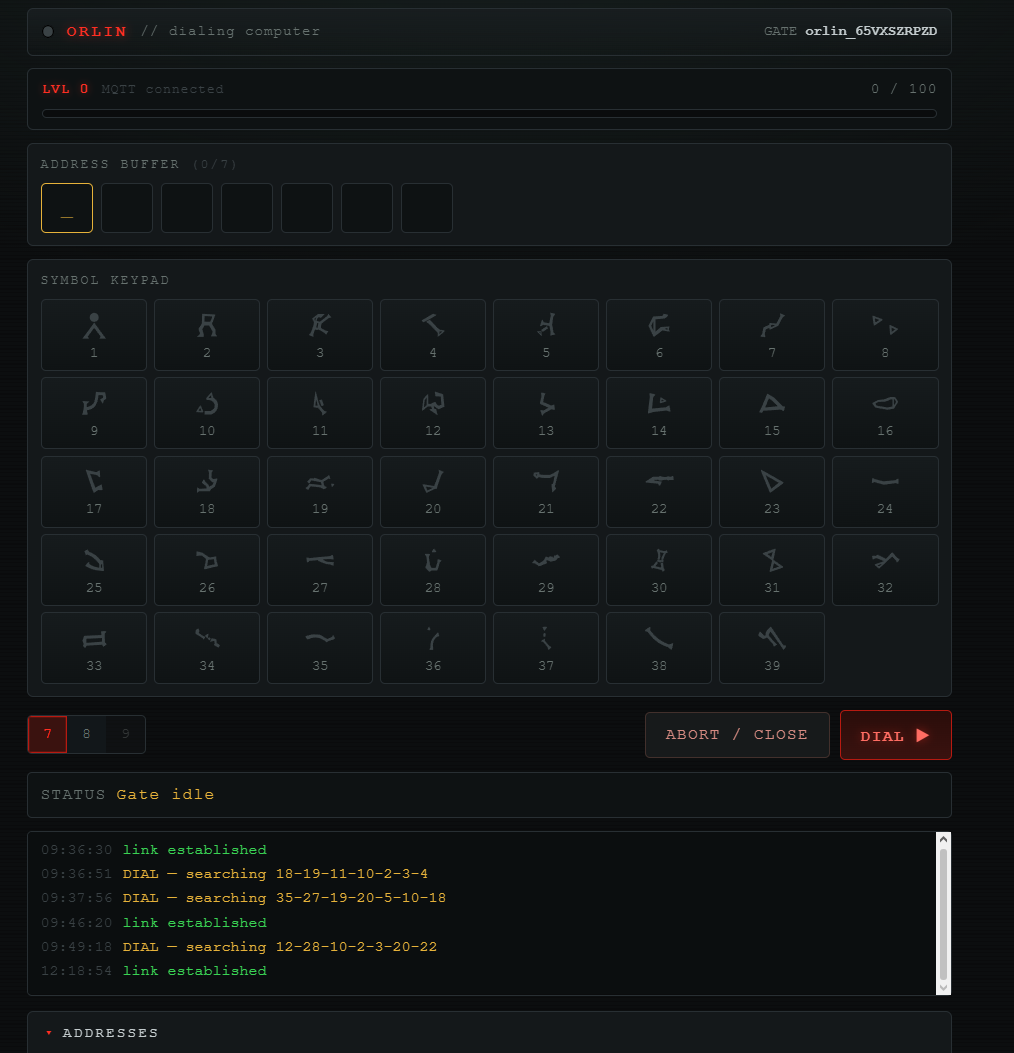
Dialing itself works differently too: instead of locking each chevron one at a time as you type, Orlin lets you type the full address first — the chevrons flicker instead of locking individually — then a single DIAL press sends the whole address at once and kicks off the search animation.
Firmware & DHD
Orlin runs its own firmware build and its own web DHD: instead of a circular dial, the interface looks like a computer terminal — type the address, hit DIAL. Make sure to select the Orlin firmware when flashing your ESP32.
Everything else — general wiring, flashing steps — follows the same process as the Pegasus gate.
Optional Finishing Touch — Cable Wrap
For extra fidelity to the show's design, you can wrap red and white cable around the gate to cover the event horizon ring. The LED light should still shine through the gaps between the cables, keeping the wormhole effect visible.